blog
BlackBerry Archive at Jozef Chúťka's blog
January 23, 2012
Multitouch Remotair remote controll RTMFP YCanvas
YCanvas Remote Controlled By Remotair

At the same time I released YCanvas, I have spotted an interesting starling experiment. I realized I can do this for YCanvas easily with Remotair. Remotair is a concept of transmitting device inputs (gestures, accelerometer, camera etc.) into receiving flash or AIR application. Consists of one transmitting app installed on a mobile device or a tablet and one receiving app running on a PC. In order to pair transmitting and receiving application, RTMFP protocol is used. Implementing remotair reciever into any flash application takes only a few minutes, I spent much more time on touch + multitouch implementation with transitions. At the end of the day, I was able to remote controll YCanvas application with BlackBerry Playbook.
December 23, 2011
Android appstore appworld iOS market Playbook qr
Useful links and market url schemas for Android, iOS, BlackBerry

After a few months off from mobile development, I realized I have forgotten all the necessary developer, application and market links for my Android, iOS, BlackBerry applications. Furthermore, it took me some time to gather them all back together as well as market deeplinks for all environments. So, I have decided to put the list together that will help me catch much faster next time.
July 20, 2011
Quick Tip: Update Debug Token on Playbook
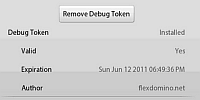
After a few weeks I got back to projects for BlackBerry Playbook and I realized my debug token on device is no longer valid. It took me some tome to investigate what steps are necessary to update just the debug token (signing keys are still valid). It resulted in 2 commands. If you like working with command line rather than with Flash Builder with these kind of things, you may find following .bat script useful. The script creates and deploys a new debug token on device.
January 3, 2011
appInstaller package uninstall
Quick Tip: Unistalling BlackBerry Playbook application
The most common way to uninstall app from playbook simulator is using -uninstallApp flag within blackberry-deploy command. The bad thing about it is, that command requires installed .bar file or package-id that noone remembers:
blackberry-deploy -uninstallApp -device 192.168.44.129 -package MyApp.barFortunately, there is another undocummented method mentioned by peter9477 using simulator’s http server. To make it work is very easy…
December 28, 2010
blackberry debug deploy install Playbook SDK
Quick Tip: Debugging BlackBerry on Flash Builder 4
After successful installing Playbook simulator and BlackBerry Air SDK, you may wonder how to deploy your app on simulator. Now you have 2 choices. You can use command line and run something like this:
blackberry-airpackager -package -installApp -launchApp -device 192.168.44.129 MyApp.bar src/MyApp-app.xml -C bin-debug MyApp.swf icons/90x90.png blackberry-tablet.xml… this command compiles .swf file into .bar file and installs on simulator. If you prefer click-and-deploy solution, just go into folder with your blackberry sdk:
.../sdks/blackberry-tablet-sdk-0.9.1/eclipse_for_FB401and copy all content into your flash builder / eclipse directory.
.../Adobe/Adobe Flash Builder 4